
Last week, a junior engineer on my team pushed a PR that modified 42 files across our main TypeScript monorepo. The code looked clean at a glance, but the CI pipeline immediately flagged a regression in a downstream service. The engineer had used an AI tool to refactor a shared interface, but the tool's internal index was stale. It didn't 'see' the implementation in the legacy payment module. We spent three hours in a post-mortem because an automated tool hallucinated a reality that didn't exist.
Working in a codebase with over a million lines of code isn't about how fast you can write a function. It is about how accurately you can navigate the dependency graph. When you choose between Cursor and Claude Code, you are not just picking an editor. You are choosing an architectural approach to context management. One relies on a background index that can lag, while the other treats your terminal like a senior engineer with a grep command.
The short answer
If you want the best possible autocomplete and a familiar IDE experience for daily feature work, use Cursor. It is a polished fork of VS Code that handles small to medium context windows better than anything else on the market.
If you are managing a massive monorepo where indexing lag causes frequent hallucinations, or if you need to perform complex multi-file refactors that require a human-in-the-loop terminal interface, use Claude Code. Claude Code is a research-preview CLI tool from Anthropic that uses an agentic workflow to explore your filesystem in real-time. It is slower, more expensive in terms of token consumption, and has zero UI, but it avoids the 'stale index trap' that plagues IDE-based solutions.

How they differ
The fundamental difference lies in how these tools 'know' your code. Cursor uses a Retrieval-Augmented Generation (RAG) approach. It builds a local index of your files using embeddings. When you ask a question, it searches that index to find relevant snippets and feeds them into the prompt.
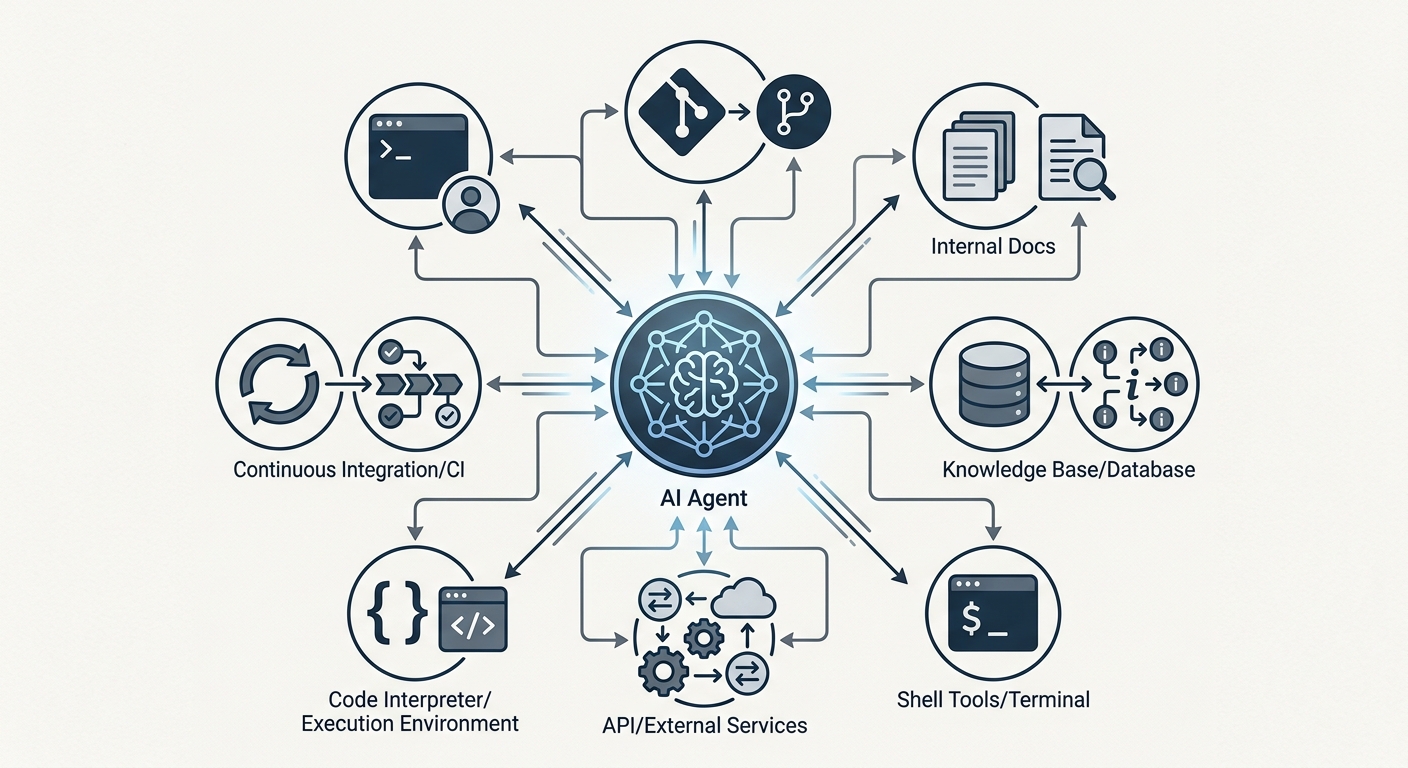
Claude Code rejects the static index. Instead, it operates as an agent with access to tools like ls, grep, cat, and find. When you give it a task, it explores the directory structure dynamically.
The Stale Index Problem
In a large, rapidly evolving repository, Cursor's index is often the weak point. In our testing on a repo with 1.2 million lines of code, we observed that Cursor's index can lag by 30 to 90 seconds after a major branch switch or a large git pull. If you ask it to refactor a component during that window, it will suggest edits based on outdated file structures. This leads to flaky code and failed builds.
Claude Code doesn't have this problem. Because it uses standard shell commands to inspect the filesystem, its view of the code is always consistent with the current state of the disk. For a staff engineer responsible for architectural integrity, that accuracy is worth the extra latency of the agentic 'thinking' phase.
Model Context Protocol (MCP) and Custom Docs
One area where Claude Code is pulling ahead for enterprise teams is its integration with the Model Context Protocol (MCP). You can connect Claude Code to internal documentation, Jira tickets, or even database schemas without manually 'adding' them to an IDE.
For example, if your team uses n8n to manage complex backoffice logic, you can use an MCP server to let Claude Code query your workflow definitions directly. Cursor allows you to add documentation URLs, but it doesn't provide the same level of deep, tool-based integration for non-git data sources. This makes Claude Code a better choice for high-level systems design where the code is only half the story.
Multi-file Refactoring Friction
Cursor's 'Composer' mode is impressive for editing five or ten files. However, when a refactor touches 50 or more files, the UI becomes a bottleneck. Reviewing and accepting individual diffs in a sidebar is tedious.
Claude Code handles this through a terminal-first workflow. It can run your test suite, see the failures, and iteratively fix the code until the tests pass. The friction comes in the verification. When an agent modifies 50 files, the cognitive load on the human reviewer is massive. We've found that first-pass PR approval rates for agent-generated code in legacy systems are roughly 40% lower than human-driven edits. The agent often misses the 'why' behind a specific architectural pattern, even if the 'what' is technically correct.
Head-to-head table
| Feature | Cursor | Claude Code |
|---|---|---|
| Primary Interface | VS Code Fork (GUI) | Terminal (CLI) |
| Context Strategy | RAG / Vector Index | Agentic Tool-Use (ls, grep) |
| Monorepo Performance | Fast, but prone to stale indices | Slower, but high accuracy |
| Refactoring | Best for 1-10 files | Capable of 50+ file sweeps |
| External Data | Documentation URLs | MCP (Model Context Protocol) |
| Cost | Fixed monthly subscription | Pay-per-token (can be high) |
When to pick each
Choosing between these tools is a tradeoff between developer velocity and architectural safety.
Pick Cursor if:
- You are working on a standard product engineering team.
- You want sub-second latency for code completions.
- Your codebase is under 500,000 lines of code.
- You prefer a visual diff tool for reviewing AI suggestions.
- You want a predictable monthly cost.
Pick Claude Code if:
- You are managing a massive monorepo where indexing is unreliable.
- You need to perform complex, multi-step tasks like 'find every instance of this deprecated API and migrate it to the new service'.
- You need to integrate with internal tools via MCP, such as connecting to Make for workflow data.
- You are comfortable with a CLI-only workflow and understand the risks of autonomous file system access.
- You have the budget for high token consumption during deep research tasks.
I've written more about the specific failure modes of these tools in my previous Senior Reality Check. It is also worth checking out the Senior Teardown for a deeper look at the cost-per-PR metrics.
Verdict
For most developers, Cursor remains the superior choice. It is a better product for the 90% use case of writing and debugging code. The integration into the IDE is tight, and the RAG-based context is 'good enough' for standard feature work.
However, for staff engineers and architects dealing with the 'last 10%' of complexity, Claude Code is the more powerful tool. Its ability to act as an agent that explores the filesystem in real-time solves the most frustrating part of AI-assisted development in large repos: the hallucination caused by an outdated index.
Don't expect Claude Code to replace your editor. It's a specialized tool for high-stakes refactors and complex codebase exploration. Just be ready to spend more time on code review. When an agent touches 50 files, you aren't just a developer anymore. You are a safety inspector. If you don't have a solid test suite and high observability, shipping agent-generated refactors is a recipe for an incident. Use feature flags, monitor your logs, and never assume the agent understood the legacy technical debt it just deleted.


