
I spent four hours on a Tuesday night rolling back a deployment because an LLM told me a variable was unused. It was not. It was being called by a reflection utility three layers deep in a legacy auth package. The AI missed it because the file was not in the active context window. This is the reality of using AI on a 500,000 line codebase.
We have moved past the honeymoon phase of simple autocomplete. Now, we are trying to ship architectural changes using agentic tools. For the last three months, my team has been putting Claude Code and Cursor through the ringer on our primary monorepo. This is not a marketing comparison. This is a report on what happens when these tools meet a messy, high pressure production environment.
The problem
Our codebase is a sprawling TypeScript and Go monorepo. It has legacy debt, circular dependencies that we are slowly untangling, and a test suite that takes twenty minutes to run in CI. When you work at this scale, the primary bottleneck is not writing code. It is reading code and understanding the blast radius of a change.
We needed a tool that could handle deep refactors. Specifically, we were trying to migrate our internal telemetry service to a new provider. This involved touching 42 files across six different packages. If the AI misses one call site, we get a regression. If it misses a feature flag check, we risk an incident.
Most LLM tools work fine on a greenfield Todo app. They fall apart when they have to reason about code they cannot see in the current buffer. We needed to know which tool actually understands the dependency graph of a large project.
What we tried first
We started with Cursor. It is the current industry standard for AI integrated development environments. We have been using it for six months. For daily tasks, it is better than a standard IDE with a plugin. The Composer feature, which allows you to edit multiple files at once, is where we spent most of our time.
Cursor uses a proprietary indexing system. It crawls your local files and builds a vector store so it can retrieve relevant snippets when you ask a question. On paper, this solves the context problem. We configured our .cursorrules file to ignore the node_modules and build artifacts to keep the index clean.
We also used v0 for some of the frontend component scaffolding during this migration. It is excellent for generating isolated UI logic that we can then drop into our main repo. But the heavy lifting of the backend logic remained in Cursor. For documentation lookups that require a massive context window, we occasionally bounced out to Gemini because its 2 million token window is hard to beat when you are uploading a 400 page API specification.
What broke
Cursor is an IDE. Claude Code is a CLI agent. This distinction matters more than I expected.
In our large codebase, Cursor started to feel flaky. The index would often get out of sync after a large git pull or a branch switch. We would see 'stale' suggestions where the AI would try to use a function signature that we had deleted ten minutes ago.
When we tried the telemetry migration, Cursor's Composer struggled with the scale. It would correctly update the first five files, but by the tenth file, it started losing the thread. It would hallucinate imports or forget the naming convention we established in the first half of the task. We saw a significant increase in build errors.
More importantly, Cursor is restricted by what it can see in the editor. Even with indexing, it feels like it is looking through a keyhole. It is a tool for a developer who wants to be guided. It is not an agent that can operate independently on a complex task. We found ourselves constantly babysitting the output, which defeated the purpose of using it for a large scale refactor.
The fix
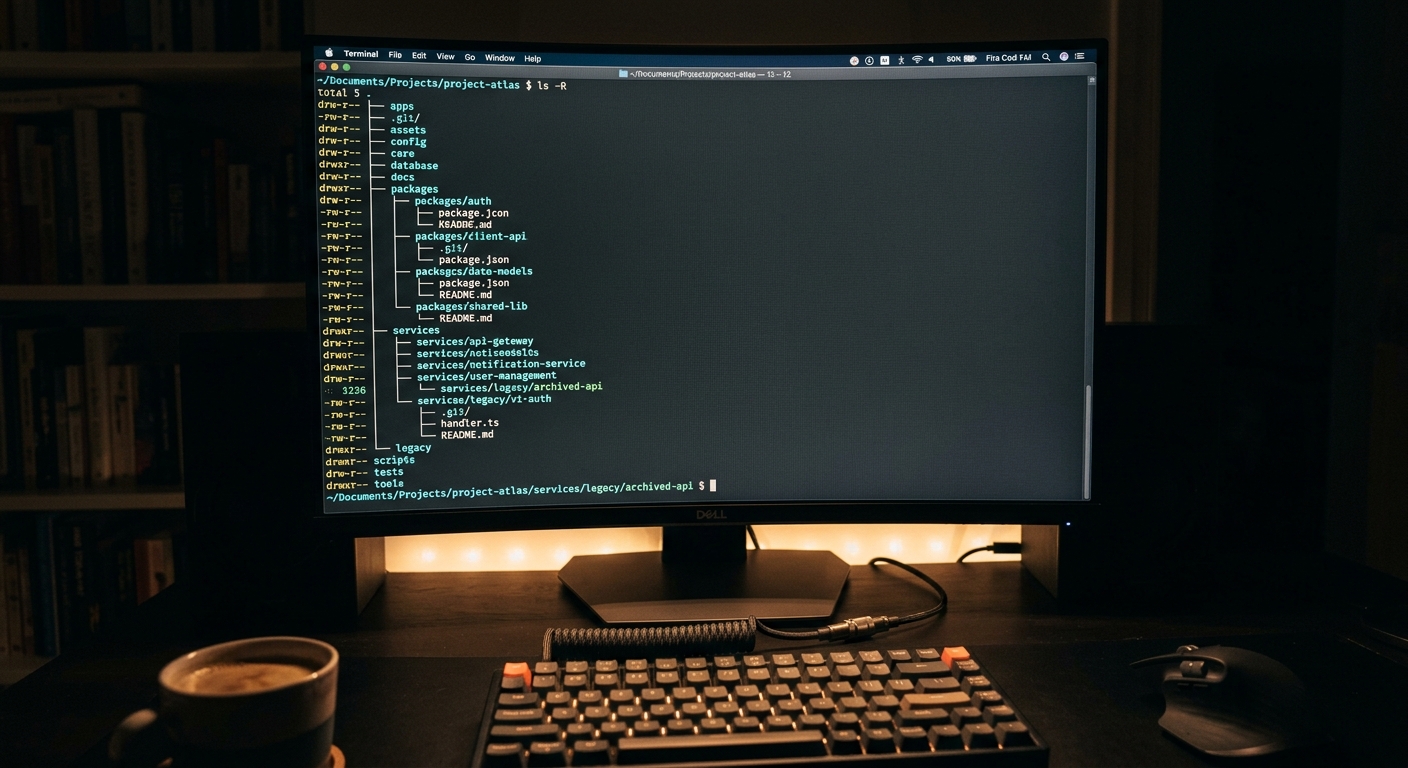
We introduced Claude Code, the command line tool from Anthropic. Unlike Cursor, which lives inside VS Code, Claude Code runs in your terminal and has direct access to your shell, your file system, and your git history.
To get started, we ran the standard initialization:
npm install -g @anthropic-ai/claude-code
claude
The workflow shift was immediate. Instead of highlighting code and asking for a change, we gave Claude Code high level objectives.
'Search the codebase for every instance of the legacy TelemetryProvider, identify the initialization pattern, and rewrite it to use the NewTelemetryClient, ensuring that the backpressure logic in the transport layer is preserved.'
Claude Code did not just suggest code. It ran grep. It read the files. It ran our build command to check for type errors. When it saw a failure, it didn't wait for us to tell it what was wrong. It read the compiler output, went back to the file, and fixed the bug. This loop is what differentiates a tool from an agent.
You can read more about the technical differences in our Claude Code vs Cursor for Large Codebases: A Senior Teardown which looks at the specific latency numbers.

Results
After a month of side by side comparison, the data is clear. For large codebases, Claude Code is more reliable for complex, multi file tasks.
| Feature | Cursor (Composer) | Claude Code (CLI) |
|---|---|---|
| Context Management | Vector Indexing (Local) | Agentic Search + Shell Access |
| Multi-file Refactoring | Good for 5-10 files | Handled 40+ files in our test |
| Error Correction | Manual (Developer must run build) | Automatic (Agent runs build/tests) |
| Large Codebase Performance | Slows down as index grows | Consistent (Uses tools to find info) |
| Integration | VS Code Only | Any terminal / IDE agnostic |
Claude Code's ability to run shell commands is its superpower. In a large repo, you often need to run custom scripts or complex find commands to locate code. Cursor tries to abstract this away with its index, but the index is a black box. With Claude Code, I can see it executing ls, grep, and cat. If it is looking in the wrong place, I can see it in the terminal and redirect it.
We found that for simple feature work, Cursor is still faster because of the tight UI integration. But for the 'scary' work, the architectural shifts that usually lead to a post-mortem, we now lean on Claude Code. It caught a regression in our observability layer that Cursor missed simply because Claude was able to run the actual test suite and see the failure in real time.
For a different perspective on these findings, check out our Claude Code vs Cursor for Large Codebases: A Senior Reality Check.
What we would do differently
If I were starting this migration today, I would not treat these as 'either/or' tools. They serve different purposes in the development lifecycle.
First, I would have invested more in our internal CLI tooling earlier. Claude Code is only as good as the tools you give it. If your build script is flaky or your tests take an hour to run, Claude will just sit there and burn tokens. We spent a week optimizing our local test runner specifically so the AI could iterate faster.
Second, we should have used Zapier to automate the reporting of these AI generated PRs. We found that because Claude Code can ship so much code so quickly, our code review process became the new bottleneck. Automating the notification and initial sanity checking of these PRs would have saved us even more time.
Finally, we learned that 'agentic' does not mean 'unsupervised.' You still need a senior engineer who understands the system architecture to verify the output. The AI is a force multiplier, but if you point it in the wrong direction, it just creates a larger mess faster.
For those interested in the official documentation, you can find the Claude Code guide here and the Cursor indexing guide here.
We are keeping both tools for now. Cursor for the UI work and small fixes. Claude Code for the heavy lifting. But the era of the 'AI in a box' is ending. The future is tools that have the same access to the environment that the developer has.


