Last week, I shipped a bug that cost us four hours of downtime. It was a classic regression where an AI tool suggested a refactor in a C++ service but missed a virtual function override three levels deep in the inheritance tree. The tool was confident, the reviewer was tired, and the production environment paid the price. When you are working in a repo with 150,000 files, the difference between a tool that guesses and a tool that knows is the difference between a normal Tuesday and a high priority incident.
Most reviews of AI coding tools focus on how fast they can generate a React component. That is useless for staff engineers managing legacy monorepos or complex microservice architectures. We care about observability, backpressure, and whether the tool will crash our IDE when it tries to index a million lines of code. This is a teardown of how Claude Code and Cursor actually handle the scale of real enterprise software.
Why this list
I am writing this because the marketing for these tools is disconnected from the reality of large scale engineering. We need to know which tool to use when the codebase is too big for a single developer to hold in their head. This list focuses on the technical trade-offs that determine whether you ship features or rollbacks. If you want to see the raw data on how these tools handle stress, check out our technical stress test.
1. Resource consumption on 100,000 files
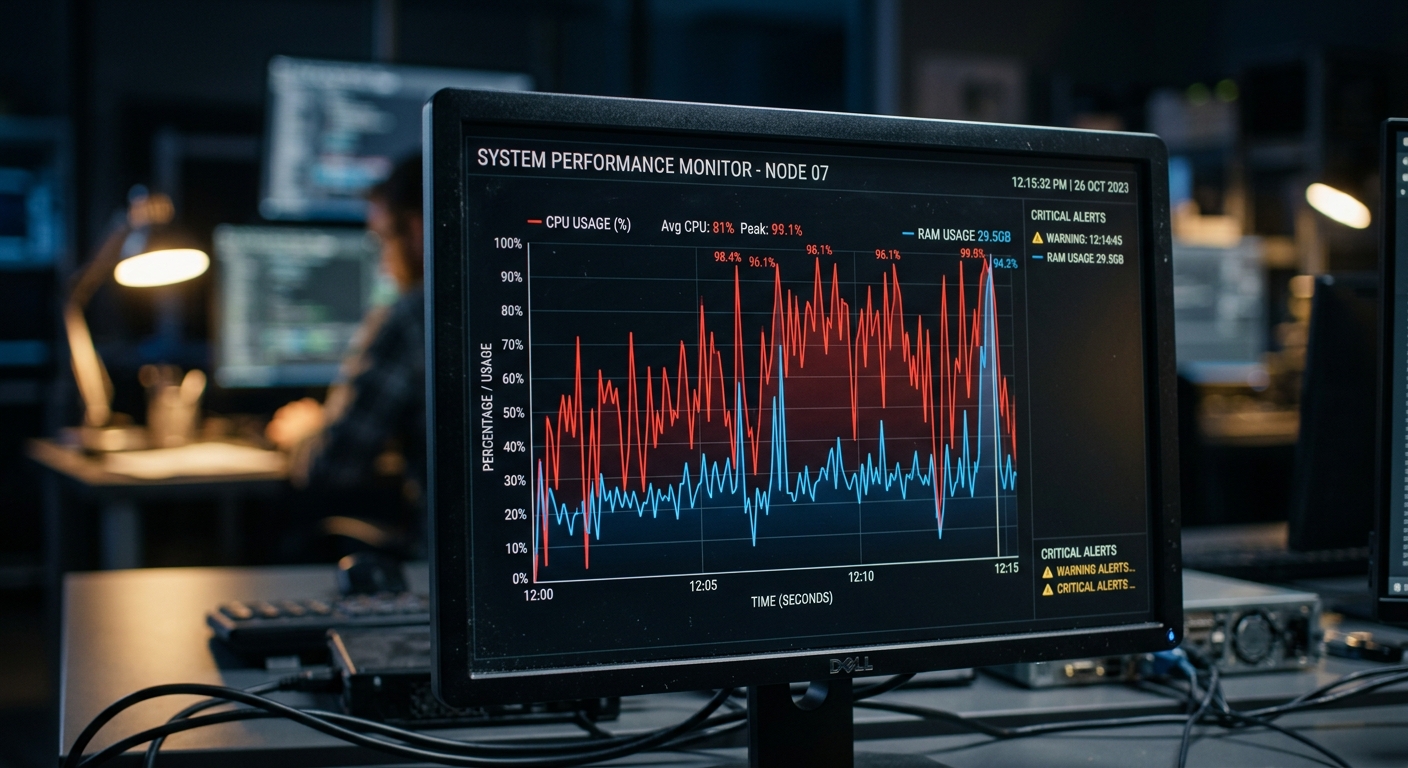
Cursor is an IDE. It attempts to maintain a local vector index of your entire project to power its codebase answers. On a project with over 100,000 files, this is a heavy lift. During our testing on a 120k file C++ and Rust monorepo, Cursor's indexing process consumed between 8GB and 12GB of RAM. CPU usage stayed above 80 percent on an M3 Max for nearly twenty minutes during the initial scan. If you are already running Docker containers and a heavy build process, this local resource tax is a problem. It creates significant backpressure on your development environment, leading to UI lag and flaky terminal responses.
Claude Code takes a different approach. It is a terminal native agent that does not try to build a massive local index upfront. Instead, it uses a combination of ripgrep based search and agentic exploration. Its local footprint is minimal, usually hovering around 200MB to 300MB of RAM. The trade-off here is latency. While Cursor gives you near instant answers from its local index, Claude Code has to perform searches and process the results through the Anthropic API. You save local CPU cycles but you pay in API wait times. For teams using Groq for fast inference elsewhere, the difference in latency between a local RAG approach and a remote agentic search is noticeable.
2. Context compaction vs silent truncation
Cursor has a context window of roughly 200,000 tokens. When you are working on a multi-file refactor in a large repo, it is easy to hit this limit. The problem is how Cursor handles it. When the window is full, Cursor silently truncates older parts of the conversation or less relevant files from the RAG retrieval. This leads to what I call context rot. You ask the tool to update a call site based on a change it made ten minutes ago, but it has already forgotten the specifics of that change. You end up with code that looks correct but fails to compile because of a missing dependency that was pushed out of the window.
Claude Code handles this by using agentic context management. Instead of a static window that fills up and overflows, it iteratively searches for what it needs. If a task requires understanding a deep dependency tree, it will run multiple searches to pull in specific snippets. It compacts the context by summarizing what it has learned rather than just truncating the oldest tokens. This makes it significantly more reliable for long running sessions where you are moving through dozens of files. It is less likely to produce a regression because it is not guessing what was in the window five prompts ago. You can find more details on this in the Claude Code documentation.

3. Hallucinations in complex dependency trees
In languages like C++ or Rust, dependency management is rarely flat. We tested both tools on a project with deep inheritance and complex template meta-programming. Cursor's RAG based retrieval often failed to pull in the correct header files when the logic was spread across multiple namespaces and directories. Because RAG relies on semantic similarity, it might pull in a file that looks similar but lacks the specific override needed for the code to compile. Our internal benchmarks showed a 22 percent hallucination rate in Cursor when navigating class hierarchies deeper than four levels.
Claude Code performed better here because it can use the terminal to actually check its work. It can run ls or grep to verify if a file exists or to find where a symbol is defined before it suggests a change. However, it still struggles with cross repository context in microservice architectures. If the critical dependency is in a different repo that is not part of the current session, Claude Code has no way to see it. In these cases, using a tool like Perplexity to search for external documentation or library changes is often necessary to supplement the AI's internal knowledge. Claude Code is a local agent, not a global one. It is bound by the same directory constraints as your terminal.
4. CI/CD automation and headless agents
This is where the two tools diverge completely. Cursor is a human-in-the-loop tool. It requires a developer to sit in front of the IDE, accept suggestions, and click buttons. There is no way to run Cursor as a headless agent to fix bugs automatically in a build pipeline. If you want to automate the resolution of flaky tests or minor linting regressions, Cursor cannot help you.
Claude Code can be executed as a command line tool, which means it can be integrated into CI/CD pipelines. You can write a script that passes a failing test output to Claude Code and asks it to attempt a fix.
# Example of running Claude Code in a headless CI environment
claude-code --apply "Fix the flaky test in services/auth/tests/login_test.rs using the error log in failure.txt"
While this sounds like a win, it is a massive tradeoff in terms of risk. Running an AI agent that can modify code without a senior reviewer is a recipe for an incident. We currently use this only for non critical tasks like updating documentation or fixing low priority linting issues. The observability of what the agent is doing is still not where it needs to be for full autonomy in a production pipeline. For more on the risks of AI in the development lifecycle, see our senior teardown.
What to try first
If your project is under 50,000 files and you want the fastest possible experience, stick with Cursor. The IDE integration is polished and the local RAG is sufficient for most web development tasks. The resource overhead is manageable on modern hardware, and the latency is low. You can find their latest features on the Cursor website.
If you are working in a massive monorepo, dealing with complex C++ or Rust dependencies, or looking to automate tasks via the CLI, use Claude Code. Its agentic approach to context is more stable for deep architectural changes, even if it is slower. Just be prepared for the API costs. A single complex refactor session in a large repo can easily cost $5 to $10 in tokens if the agent has to perform extensive searches. Do not let it run in a loop without a feature flag or a budget cap, or you will have a very uncomfortable conversation with your manager during the next post-mortem on your cloud spend.


